 Русский
Align stereo photo views
StereoPhotoView helps align left and right views. Auto Alignment uses a selected region; Extended Auto Alignment calculates horizontal and vertical displacement and rotation. You can adjust the result manually and save a separate file.
Input and result
Input: an MPO/JPS or two images of the same scene for different eyes. Result: a saved stereo pair with corrected relative view positions. Horizontal alignment sets the object that appears on the screen plane.
Interface steps
- Open the stereo pair. For separate images, select the left image first, then the right image.
- To align a particular object, choose “Edit” → “Auto Alignment” (
Ctrl+A). Select a square region on the object that should appear on the screen plane; change its size with the mouse wheel. Click the left mouse button. - To calculate displacement and rotation, choose “Edit” → “Extended Auto Alignment”. Select the parameters to calculate under “Edit” → “Settings…”.
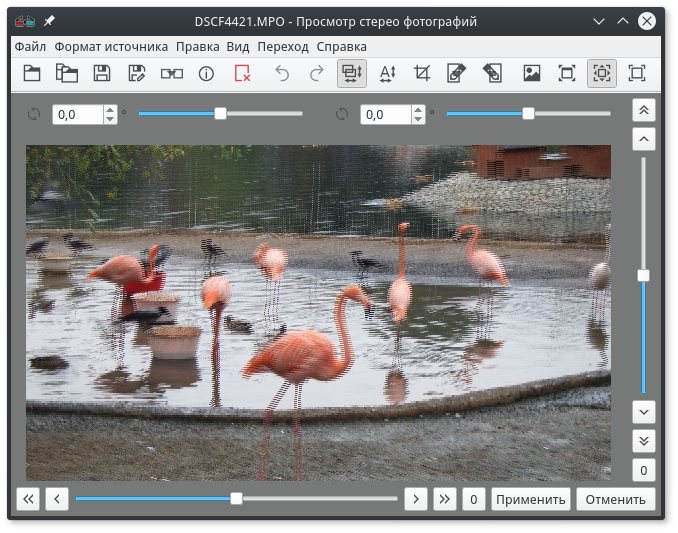
- In the “Alignment” tool (
A), inspect the vertical and horizontal shifts and rotation. Align one object horizontally and corresponding details vertically. Click “Apply”. - Choose “File” → “Save as…”, a new name, and the required layout. Open the saved file to inspect the result.
If camera settings also caused differences in color or brightness, run color adjustment before saving. The application automatically adjusts the selected view to match the other.
Command line
After installation, create a new empty folder named aligned. Run this in Windows PowerShell or Linux bash:
stereo-conv --operations auto-align:hvr -o "aligned/result.mpo" "photo-left.jpg" "photo-right.jpg"
The documented auto-align:hvr operation calculates horizontal and vertical alignment and rotation. See batch processing for several files.
Limitations and inspection
The algorithm searches for similar key points; inspect the result after automatic calculation. Check for vertical doubling and excessive parallax. If the selected region produces a poor result, select another region or correct it manually. The tool operates on an existing stereo pair and does not generate a second view from a single photo.
Documentation basis
The alignment reference and CLI example were checked on 2026-10-05. Target version: 1.21.3.