 Русский
StereoPhotoView — stereoscopic photo and video viewer, editor and converter
StereoPhotoView — A viewer, editor and converter for MPO/JPS photos and stereoscopic video. Automatic view alignment and color adjustment, video depth control at time markers, batch photo processing and the stereo-conv command line utility.
What you can do
- Align a stereo pair — automatically align the views vertically, horizontally and by rotation.
- Create an MPO from two JPEG images — combine the left and right images into one stereo file.
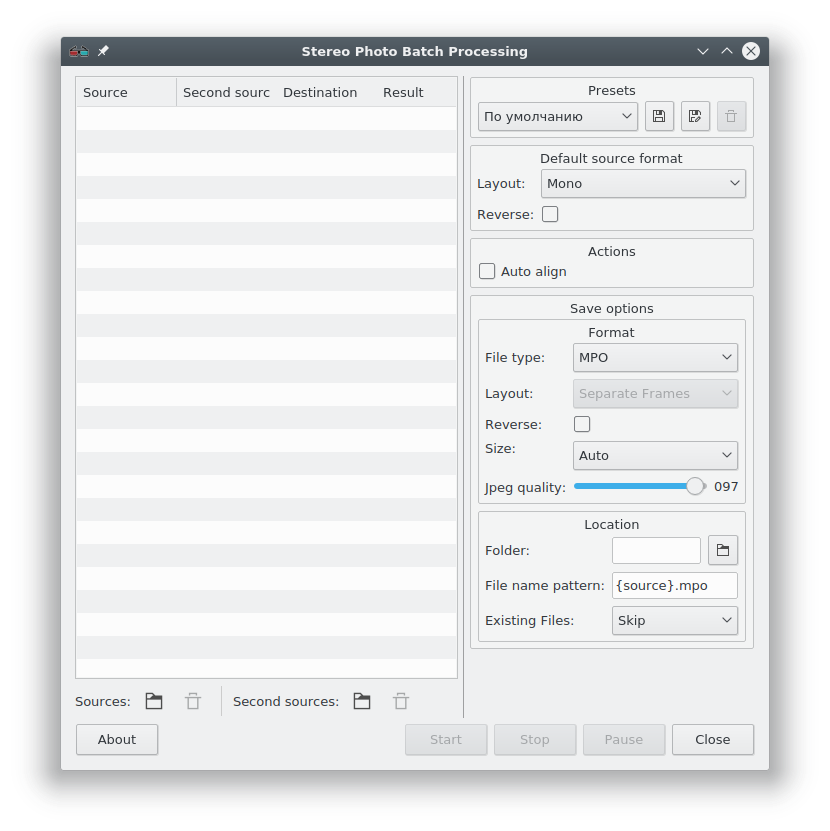
- Process a folder of stereo photos — add photos to a queue, apply automatic alignment and choose the output format, size and quality.
- Change 3D video depth — set the depth at time markers and save the edited video.
- Automate processing from the command line — convert and edit stereo photos and video with
stereo-conv.
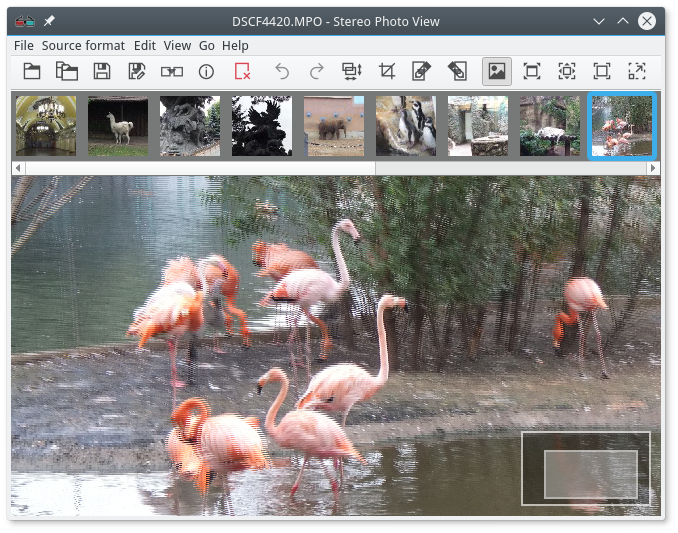
Supported File Types
JPEG, JPS
An ordinary JPEG file with a stereo pair.
Can contain a stereo descriptor. In this case, the stereo source format is determined automatically when the file is opened.
MPO
MPO files contains two separate JPEG images for the left and right view.
Video files
Reading depends on the bundled FFmpeg build. General library reference: formats and codecs supported by FFmpeg library.
Supported stereo formats
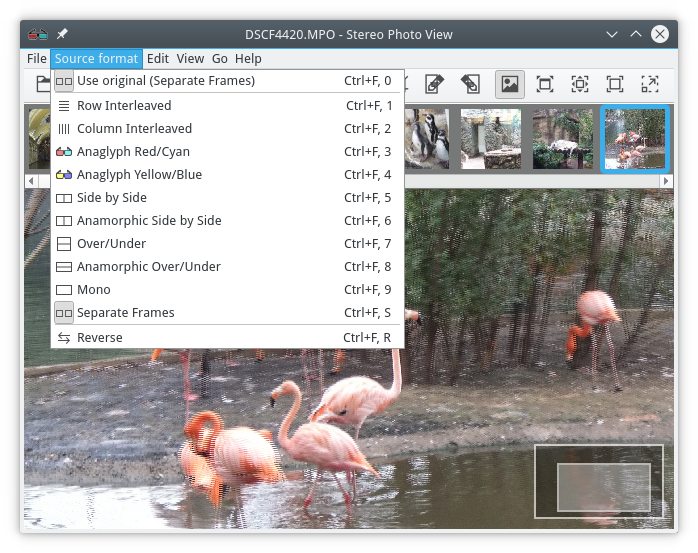
Reading, saving, and displaying:
- Row interlaced;
- Column interlaced;
- Anaglyph red/cyan;
- Anaglyph yellow/blue;
- Side by side;
- Anamorphic side by side;
- Over/under;
- Anamorphic over/under;
- Mono;
Read and write only:
- Separate frames (MPO, separate JPEG files, or video files with two streams).
Supported devices
- Anaglyph glasses.
- Monitors and TVs using passive polarization technology, such as LG.
Use “Row interlaced” mode with the native resolution. - Other 3D displays.
Many 3D displays recognize different stereo formats.
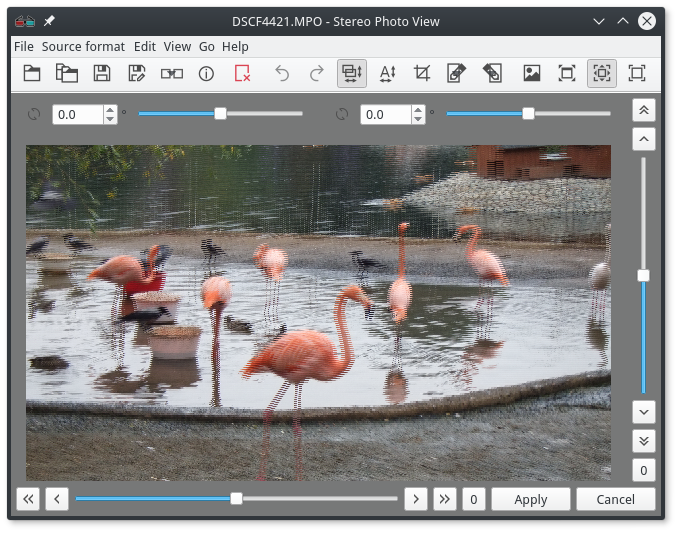
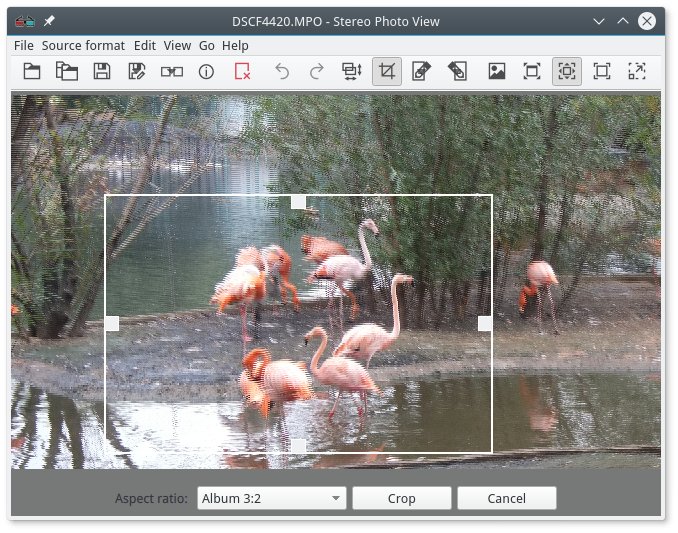
Editing 3D images
- Vertical/horizontal alignment, and rotation;
- Automatic vertical/horizontal alignment, and rotation;
- Automatic color adjustment of one view to match the other;
- Cropping;
- Stereo format conversion;
- Views editing in external image editors.
Color adjustment helps match the two images of a stereo pair when the cameras used different white balance, exposure or other color settings. The application analyzes the differences and automatically adjusts the selected view to match the other.
Editing 3D videos
- Constant or variable in time vertical and horizontal alignment (scene depth).;
- Automatic color adjustment of one view to match the other;
- Stereo format conversion;
Documented export formats: MP4, MOV, MKV, AVI, FLV. Reading and writing depend on formats and codecs enabled in the bundled FFmpeg build.
Stereo format metadata is added to MP4, MOV and MKV files.
Batch processing of stereo photos
Batch processing lets you add photos to a queue, save settings as presets, automatically align views and choose the output format, size, JPEG quality, folder and filename template.
Command line mode
The application includes a command line utility stereo-conv, which allows you to convert a stereo format and edit stereoscopic photo and video files.
To display help on usage, type the command line: stereo-conv -h or stereo-conv.
StereoPhotoView accepts parameters that specify the format of the input file. To display help, type stereophotoview -h.
Supported Operating Systems
- Windows 7
- Windows 8
- Windows 10
- Windows 11
- Linux